Are Customer’s Always Right?

The Customer is always right????

A recent flurry of feedback from our customers in the eBash Terre Haute store has me thinking of the age old saying “The Customer is always right”.  I am not sure I can buy into that customer service mentality these days when I think of people who complain about anything at restaurants or browse through the awesome pictures at People of Walmart (www.peopleofwalmart.com).   It seems like these days all you have to do is get angry and throw a fit at a store to get whatever you want for free.

I want to share a link to our forum thread that I have now complied all of the complaints and feedback into a new eBash Terre Haute Comment Box format.  This started from my recent 3D blog and quickly bloomed into “everything wrong with eBash” but in a somewhat constructive way.  The cool part is that I have been inspired by a few of the comments and also had a revelation that I will share in my blog tomorrow.

eBash Terre Haute Comment Box: http://www.ebash.com/forums/forum_posts.asp?TID=9441

Reading through the thread brings a few things to mind that I want to highlight and get some feedback from other game centers and customers.

#1 – If comments or complaints seem to be repeated or have a theme then there is more than likely a problem that needs addressed.  Many times there will be certain customers you can’t please no matter what.  They have super awesome triple processor liquid cooled mega machines all over their house and your systems cannot stand up to their 3DMark test.  However if 3-4 different people mention the same thing then it is probably worth looking into further.

I wonder if KL and Kyle know what they are talking about?

#2 – Try to look into an underlying message beneath the surface of the actual comments.  Is the customer missing a feeling they used to get when coming to your center that has been removed through a change in store hours, pricing package or remodeling project?  Much of the theme through the thread on the eBash forums to me says “We really want to be proud of our store and hang out there but…..”

#3 – Like a parent protecting their children it is hard as a game center to hear anything “wrong” with the store and not immediately go into defensive mode.  You can see that in some of my responses.  I start to pick apart the comments and tell the person where the holes might be in their complaint instead of addressing the actual problem.

#4 – In our business, most of the time the customer probably IS right.   If they are pointing out a problem or making a suggestion you can almost bet that something needs to be changed.  The situation is probably not of the same magnitude that the customer perceives.  “All of the headphones do not work on the computers” probably means they tried a couple stations and then got frustrated and stopped looking.

#5 – Get the customers involved.  Turn that problem into an opportunity.  In our case it seems like we need a regularly scheduled walk through and testing of our PC equipment.  I am going to work with a few of the customers who are the most passionate about these problems and give them free hours to help us with weekly maintenance.

My final opinion?  Yes, customers are always right.*  With an asterisk next to it because the customer may not know exactly what the problem is or the actual level of concern but underneath the surface they are probably on to something.

LAN Center Employees Playing On Shift?

My good friend Mike DeCarolis who owns and runs The Battlegrounds in Vernon, CT yesterday chatted with me on Facebook for a bit about employees playing while on shift.  This is something that I have gone back-and-forth with over the years but after many problems just finally made it black and white and said no gaming while on the clock at eBash.

eBash's Amazing Asian Duo a few years ago.

Mike told me that he lets his guys play while they are working because honestly on slower nights the employees can get some fun LAN events started that regular customers won’t do on their own.  There are obviously some great arguments for letting them play but recently he arrived at The Battlegrounds to find the store completely full of customers and his description was that the store was in “chaos”.  Both employees who were “working” were in League of Legends matches and no one was really running the store.

I have found that when employees are less than stellar at their jobs first I have to do a self-evaluation on my management tasks (This has nothing to do with Mike BTW but just for me personally).  Have I given each of the employees defined lists of the tasks they need to perform and trained them on how to execute those tasks correctly?  Am I doing a good job of following up on task lists and praising the employees who are doing the jobs correctly in our bi-weekly meetings instead of thrashing the ones who are under performing.  I am sure over the years I have lost many employees that I poorly managed for the wrong reasons.

However, let’s also be realistic.  The guys and gals I am employing (and most other LAN centers are in the same boat) are between 17 and 24 years old.  Many of them this is their first job or have only worked at fast food or other retail.  They are not exactly the most motivated and driven bunch of workers like a small business owner.  If there is a chance to get their checklist done and then hang out in AOL chat for a few hours or surf Facebook then they won’t go looking for more work to do.  I have had really good workers over the years who have to be reminded numerous times of a task they should perform before they actually get it done.

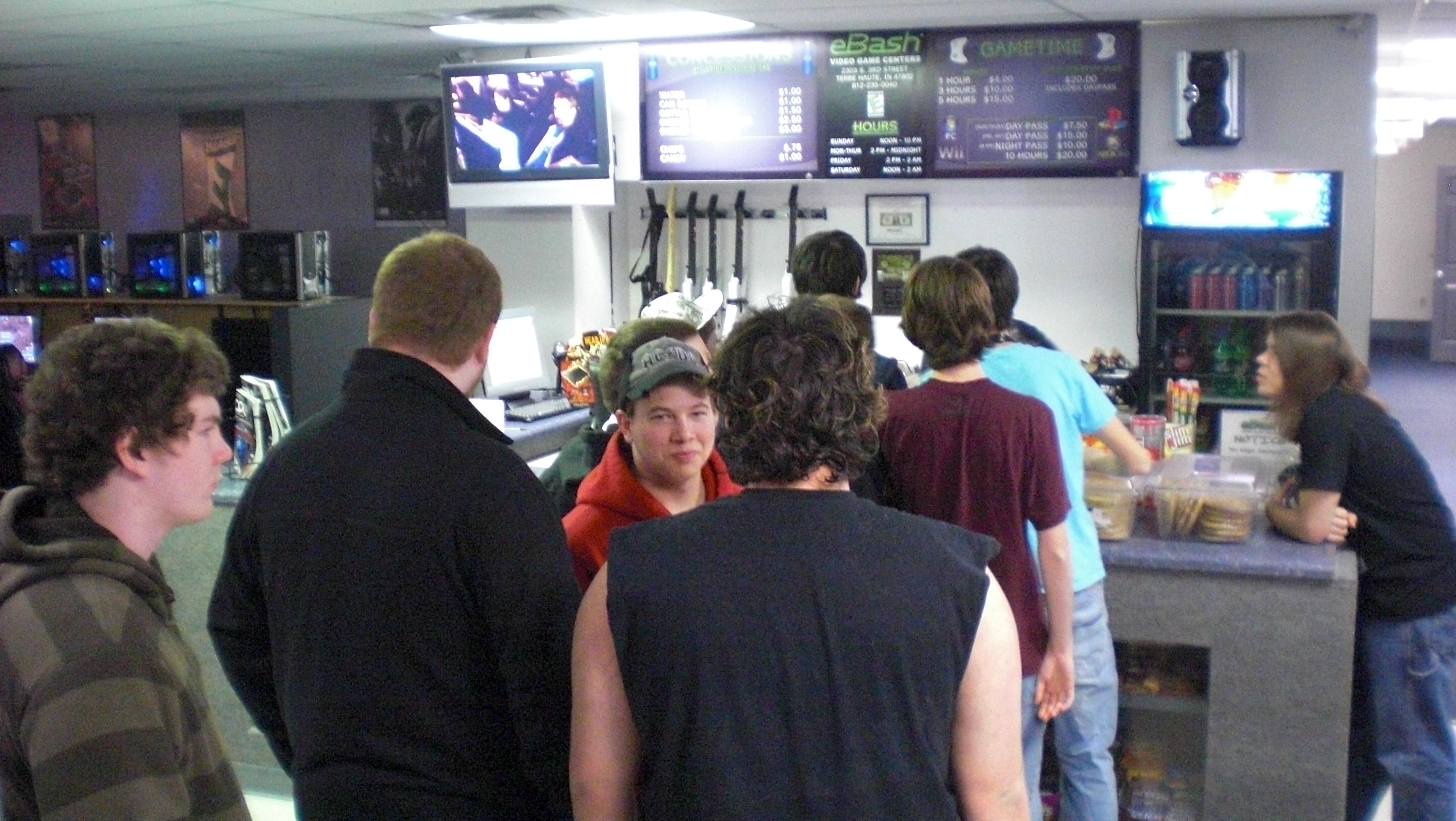
I love it when there is a line at the counter!

My biggest beef with allowing the employees to play is that the customer has to INTERRUPT the employee to get service.  “Hey would you mind selling me a Mt. Dew?”  I would literally blow my top anytime I heard a customer complaint that someone was too busy playing their game to help them with a technical problem or sell them some snacks.  As corny as it seems the employee should be looking for people to help, almost like they are being paid a commission to help them.  As new people come into the store and wonder around looking confused a simple, “Welcome to eBash, can I help you guys find anything?” will give customers the green light to ask questions if they are shy.

So what should you do if your store is slow and the employee isn’t busy at the front counter?  My theory is always have them do something that might help with the reason that they are not busy.  What can they do to try and get more customers in the store?  I give my employees the liberty of throwing a special out on our twitter or facebook accounts.  I want them to go through our facebook wall, website forums and any other forums looking for people to connect with to invite to events at the store.

Of course there are also tons of jobs around the store that need done besides “if you can lean then you can clean” tasks.  A big problem for small business owners is taking the tasks that we think are super-duper important and delegating them to those working for us.  For example I don’t do our accounting tasks because I have Tucker do it, who has worked for eBash almost 5 years now.  He is studying to be a CPA and honestly he is way better at it than I am because I am not detail oriented.  (the electric bill? bah… that can wait a few months I need to run a few sweet tournaments instead!)

The problem Mike had at his store is that leaving the employees the ability to CHOOSE when it is appropriate to play leaves a ton of GRAY area in the rules.  Most individuals will always find a reason that they should be playing instead of thinking of a reason why they shouldn’t be playing.  In my opinion it just leaves the situation too open for interpretation that will lead to a conflict down the road.  And while our employees almost always love their jobs they might not be mature or experienced enough to recognize the benefits of working hard.

What does everyone else think?  Is there actually a way to pinpoint a good time for employees to play while they are working?

Video Game Sound at LAN Centers

A recent conversation with Will Wilhem from Quantum X game center about headsets really got me thinking about how we have struggled over the years trying to find the perfect solution.   A quick search of “headsets” on iGames forums had 741 matches while a search for “game sound” found 544 posts.  I want to take a walk through some of the options we have used at eBash over the years and the positive and negatives that come along with each option.

The Sound Dome from Brown Innovations

I do want to mention that many centers take advantage of renting out headsets to cover the cost of maintenance and upkeep.  Probably the pioneer of this type of policy was the guys out at Euphnet in Sunnyvale, CA.

First let’s look at PC Gaming sound.  Obviously I don’t think I have EVER heard of anyone that uses external speakers instead of headsets except for Netheads in Indianapolis, IN.  They use a very expensive product similar to the picture shown on the right made by Brown Innovations.  99.99999% of other centers (yes, I made up that percentage) use headsets of some kind for sound when it comes to PC gaming.

PC Headsets
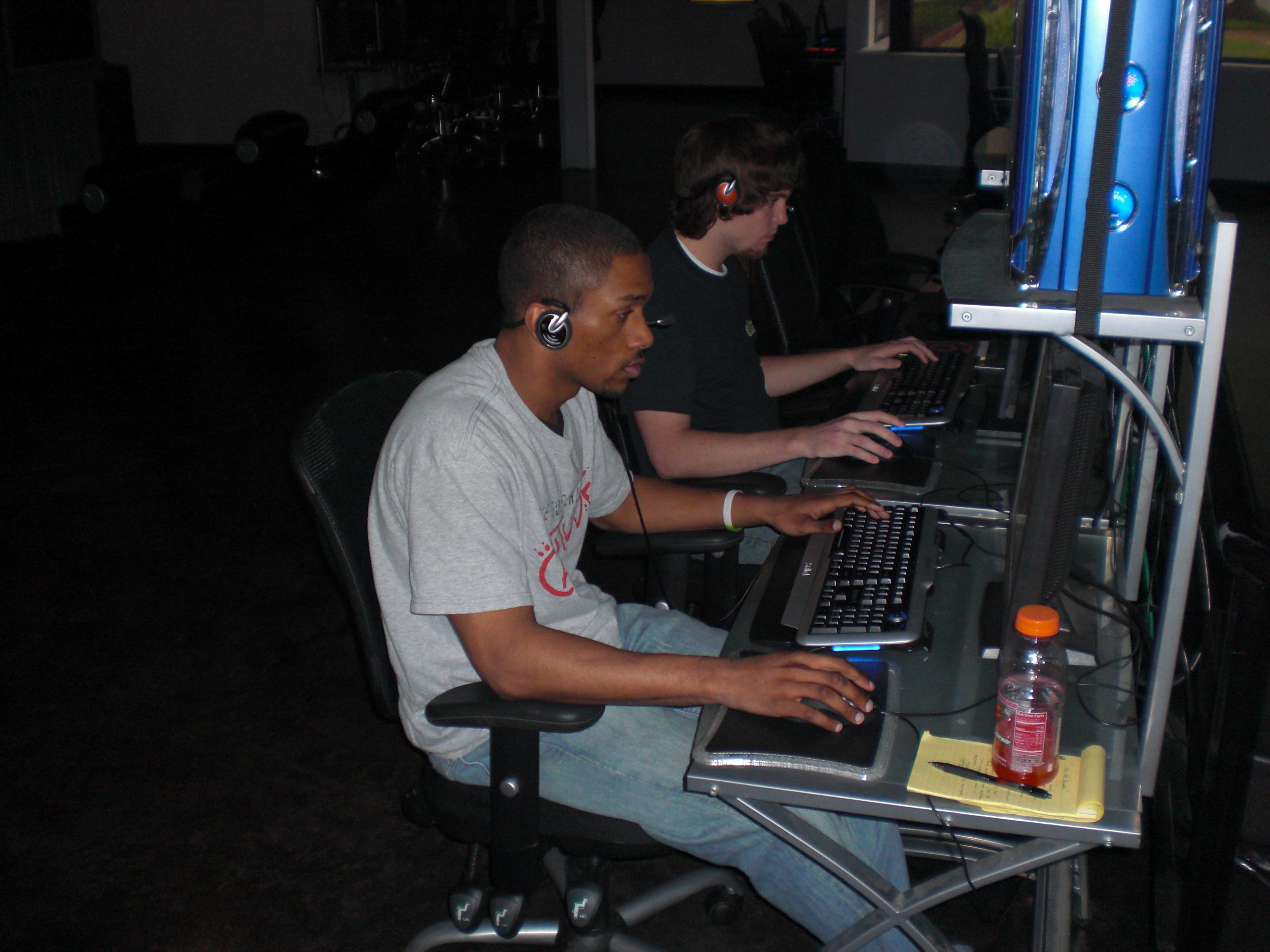
This is probably the most commonly used option at LAN centers because a headset integrates the microphone with the speakers.  For me this is our #1 broken item/complaint in the store because it seems no matter how durable a headset appears, customers will find a way to break them.  We have tried many products over the years ranging from inexpensive to moderately expensive.  Currently the $6/pair behind the head models that have detachable microphones is what we are using at eBash (similar to THESE) and seems to hold up just as long and doesn’t make my blood boil when I find a pair that has been broken.

We went through a period where we tried many different products at a higher price level for a few different reasons.  Originally eDimensional stepped up with a deal for iGames members which put their $100 retail headsets in the LAN centers for only $50 each (I think they were 6 headsets in a box for $300).  We tried out a couple cases and of course had some sets broken.  They replaced some initially and probably would have kept replacing them but it became tiresome.

Next we struck a deal with Turtle Beach to put both their Xbox headsets and PC headsets in our stores when we opened our 3rd location in Bloomington, IN.  I worked out a deal directly with their promotions group to buy the headsets at a significant discount in non-retail packaging.  We actually stocked the brand new store in Bloomington with 100% Turtle Beach headsets throughout.  Honestly the PC headsets held up pretty good but our frustration with the Xbox headsets led us to look for other solutions.

Probably the best deal we have seen yet on the PC side was the one provided by Creative that had them match our purchases 1-1 with free units to use in the store.  We didn’t like their behind-the-head style as they seemed to break easy but their Fatal1ty version was really nice except they hurt a bit when you wear them more than a few hours at a time.

Console Loudspeaker Sound
I am going to talk about my experience with chairs soon so I don’t want to talk too much about sound through gaming chairs.  However those are by far my favorite option for external sound if you aren’t wearing headsets.  There are a few other options for loudspeaker sound that I want to touch on and I will save the chair sound for a later blog.

TV sound is probably the most common for console sound.  This isn’t bad at all, just a bit common since that is probably how the average gamer (not diehard) plays at home.  Our first store had 27″ CRT TVs that sat on top of plywood boxes we built and each player just controlled their sound through the TV speakers.  The major problem with sound out loud is that each player begins the “volume war” to turn their system just a bit louder to hear it over the others around them.  Next thing you know the room is full of TVs blaring out at 90% of their total sound level.
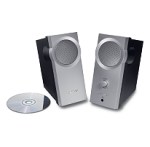
Bose Companion 2 Speaker System

In our current tournament rooms we have our XBox 360 systems running on VGA cables to 22″ Samsung monitors.  This forced us to come up with a 3rd party sound option as the monitors do not have built-in sound.  (*** Side note *** Most monitors I have tested with built-in sound is terrible anyway, so you might as well plan on external sound)  We tried the Turtle Beach headsets which I will discuss more below but the longest standing solution is the Bose sound system pictured on the left that we buy at Sam’s Club.  These little babies can really pump out the sound and make for some REALLY noisy rooms.  However they have a headphone jack right on the front and they are simple with just a power cord, volume knob on the front and RCA inputs.  By my count we have 24 sets of these still running at our Terre Haute store.

Console Headset Sound
This has to be the biggest area of headaches for our center when it comes to maintenance and upkeep.  I have yet to find a great solution but I do feel like we have come up with some good solutions so far.  The first thing we have done for 3-4 years now is simply rent out the cheap Microsoft voice headsets (that come with a new 360 or you can buy wholesale for around $10) .  We just rent them for $1 and after they are used 40 or 50 times we have to pitch them and buy new ones.  Gamers using TV sound, gaming chair sound or Bose Speaker system sound will all rent these so they can talk online.

I feel like that is the generic solution but after that honestly nothing is much better when it comes to LAN center solutions.  Sure there are tons of other headset manufacturers that combine game sound and chat for Xbox 360 and (sometimes) PS3 but the cost of those units sure make it hard to swallow when a cord gets caught around a chair and torn in half.

To defend each of the manufacturers I do want to point out that Microsoft really screwed the pooch when it comes to their chat/voice set-up.  Instead of just letting something work that plugs into the console they make you plug into the controller which adds more cables to get in the way.  Most of the headsets are made so that a person on a couch can use their headset for the TV across the room so when it comes to a LAN center you don’t really want wireless for theft reasons NOR do you want 25 foot cables since the players are sitting right next to the screens.

Here are a few options we have tried:

Turtle Beach – These are just not built for the long haul from what we have experienced.  The plastic breaks, the cords get pulled out and the microphone booms get broken off.  Not to mention adapters get moved around and lost and the units just feel very light and dainty.
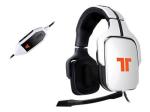
The Tritton AX720 sell for around $130 and are an expensive option.

Tritton – We are currently using 6 of these in a room that we charge a premium to experience.  This has made customers realize the value of the equipment and I honestly think they are more careful in the room.  Secondly by charging for the room the cheaper customers just steer clear and the room is used probably 50% less.  That leads to the only problem which is that the room generates less profit than the other rooms in our center.

Astro – Honestly I have never used a pair of these yet.  Guys bring them to the store and spend 15 minutes hooking up all of the wires and players ooohhh and aahhhhh over their “ultimate pro gamer” experience but for a game center there is no way in the world I can drop $250 headsets at each station and feel good about it.  Maybe if I was reselling the units and could get them to set-up a room for the store it would work but if I am shelling out my cash I will stick with the less expensive options.

In the end each game center has an opinion on what works best for them.  The sad thing is that there is no real consensus on the best option even for the groups that will agree on headset vs. external sound.   I am somewhat motivated to start testing out products specifically for LAN center use.   Hmm… maybe testing new products each week can become a regular feature.